
In some cases, you may need to ensure that most of you customers are locked out of your facility, regardless if they are paid up, or not. However, some essential workers/customers will need to have access.
This article shows you how to set this up in your gate system and Storman Cloud.
In your gate system:
For the purpose of this example, we will assume that you have three existing access levels/time zones in your facility:
- Access 6am – 9pm
- 4am – 11pm
- Access 24 HR
Firstly, you will need to create a new set of “Time zones” that mirror your existing access levels / time zones – call them something slightly different. For example:
- COVID Access 6am – 9pm
- COVID 4am – 11pm
- COVID Access 24 HR
Next, you will then need to modify your original set of time zones and set these to have no access to your facility.
In Storman Cloud:
- Navigate → Side navbar → Maintenance → Settings → Lookup values
- Choose the lookup value “Time zone”
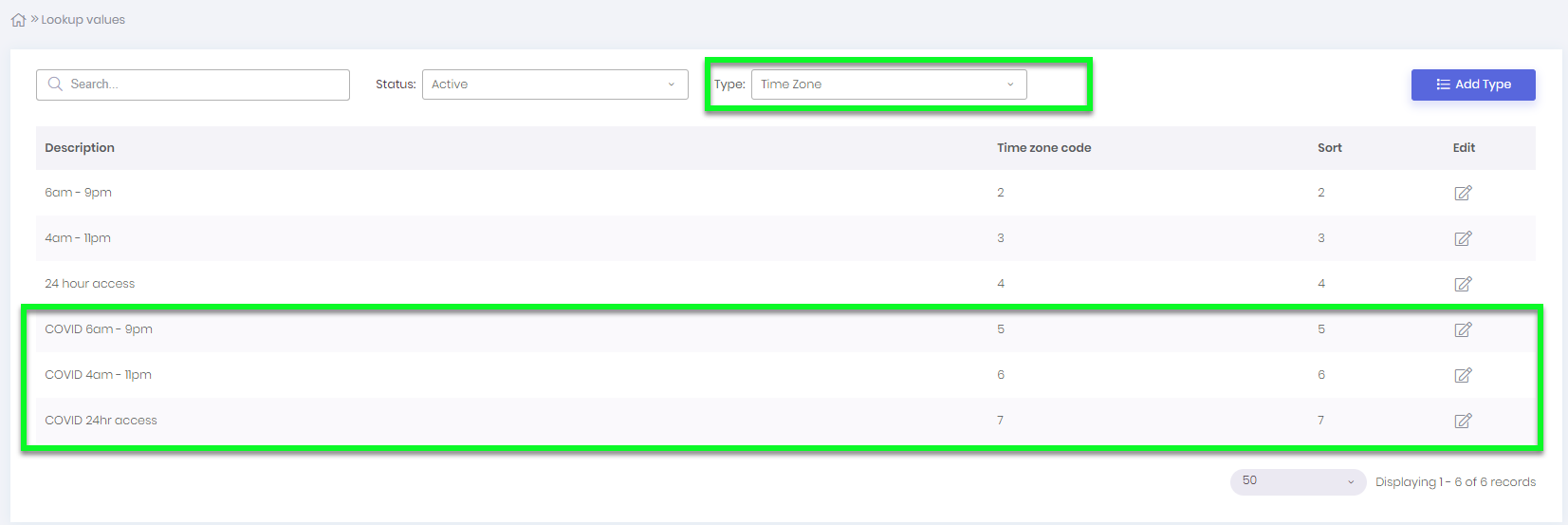
- Enter your new time zones, similar to what is shown below:
- Go into your Customers Account and in the “Access” tab, set the timezone for your customer to be one of the new timezones, as shown below:
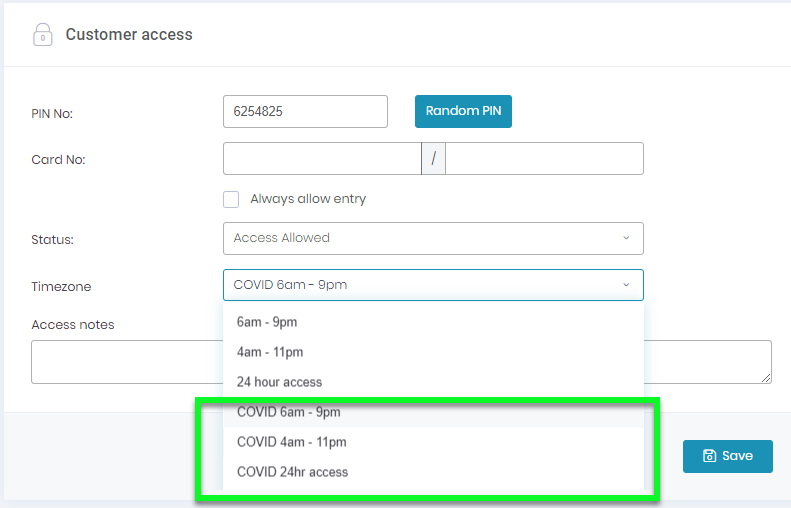 NOTE: Please be aware that anyone overdue will still be locked out unless you tick the always allowed box. All other customers left on the old/normal time zones will no longer have access, even if it says “Access Allowed” in Storman.