
When a customer wants to move-out, but is unable to due to circumstances, then Storman Cloud can be configured to stop billing rent, if a move-out date is set for the customer.
To do this:
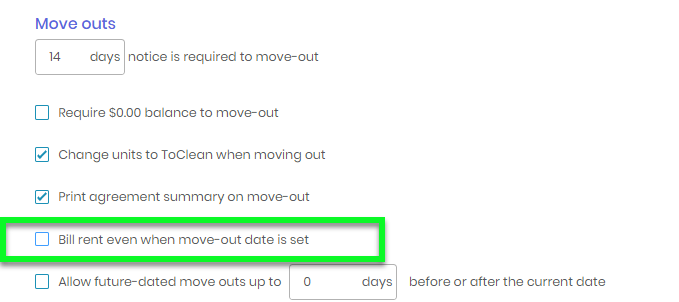
- As a one-off task, setup your Storman Cloud configuration and “uncheck” the setting “Bill rent even when move-out date is set” tick boxes as shown below:Navigate -→ Side navbar → Maintenance → Settings → Facility → Operations tab
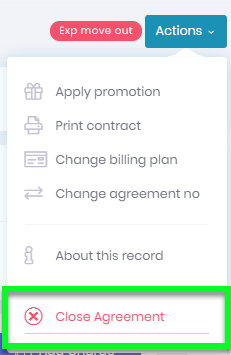
- Navigate to your customers account and choose to “Close the agreement” option
- Then enter the “Agreement close date” and press SAVE. This will then exclude this customer from being billed further rent.
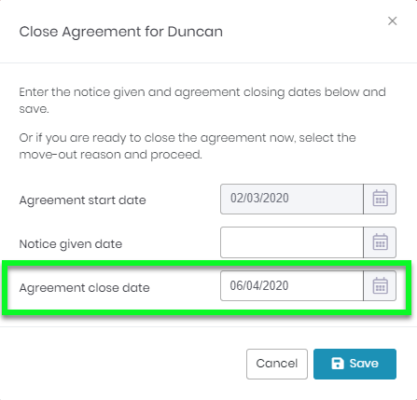
Important: DO NOT ENTER A NOTICE DATE as this will trigger the full move-out process.
Once done, from this point onwards the customer will not be billed rent.